Network Cabinet — 19-Inch Enclosure for Switches, Patch Panels and CCTV
Closed network cabinets for switches, patching, CCTV and access control, with cable management and lockable doors.
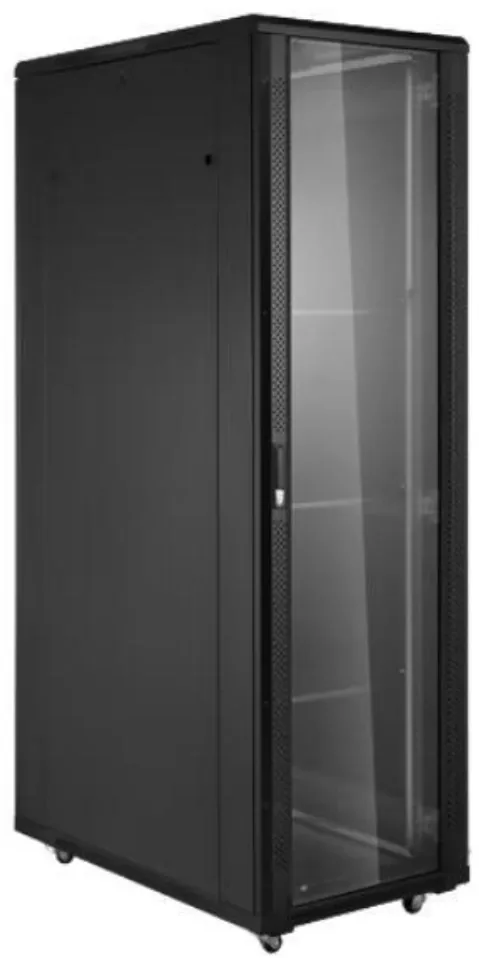
A network cabinet is a closed 19-inch enclosure for switches, patch panels and security equipment. Common sizes are 6U to 42U, 600 mm or 800 mm wide and 600 mm or 800 mm deep, with typical static loads of 300 kg to 500 kg for floor-standing units and 60 kg to 100 kg for wall-mount units.
Last reviewed: 2026-11-07
The cabinet keeps dust off patch panels and provides lockable access in shared rooms. Vertical managers on both sides keep patch cords out of the airflow path.
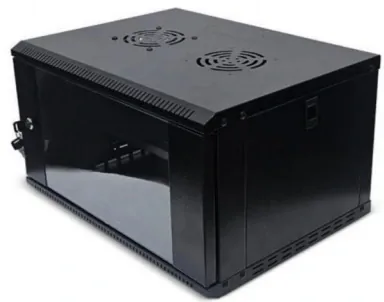
Wall-mount versions serve floor distribution; floor-standing versions serve network rooms and CCTV head ends.
Best for
- Switch and patch-panel rooms
- CCTV and access-control head ends
- Branch and campus network rooms
Key specifications
Network cabinet reference
| Type | Height | Depth | Typical use |
|---|---|---|---|
| Wall cabinet | 6U–18U | 450 / 600 mm | Floor distribution |
| Floor cabinet | 18U–42U | 600 / 800 mm | Network rooms |
| CCTV cabinet | 22U–42U | 600 / 800 mm | Security head end |
How to choose
Count ports and U
Add switch and patch-panel U heights, then reserve space for cable managers.
Choose depth
600 mm suits most switches; 800 mm suits deep switches and dense patching.
Plan locks and entry
Use lockable doors and top/bottom cable entries aligned with the tray.
Network cabinet types
Network cabinets come in three main types: wall-mount, floor-standing and server-style. A wall-mount cabinet (6U to 18U) serves a floor distribution point or a small branch. A floor-standing cabinet (18U to 42U) serves a network room or a CCTV head end. A server-style cabinet adds depth and load capacity for mixed network and server equipment.
The right type depends on the equipment count, the room size and the cable route. A 12U wall cabinet is common at the floor; a 42U floor cabinet is common in the main network room.
Width, depth and mounting space
The 19-inch opening is 482.6 mm wide, and one U is 44.45 mm. A 42U cabinet has 1,866.9 mm of mounting height. Width is usually 600 mm or 800 mm; the extra 200 mm gives room for vertical cable managers and side-mounted PDUs.
Depth is 450 mm or 600 mm for wall cabinets and 600 mm or 800 mm for floor cabinets. A 600 mm deep floor cabinet suits shallow switches and patch panels; 800 mm gives room for deep switches, rear PDUs and fiber trays.
Doors, airflow and security
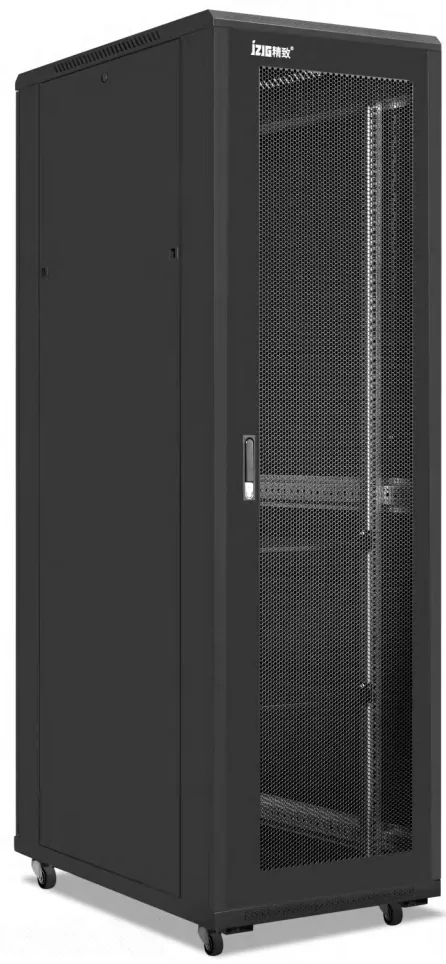
A glass front door gives visual inspection and is common in shared rooms. A mesh door gives better airflow for PoE-heavy installations. The rear door is usually perforated steel. Both doors should be lockable, and side panels should be removable for baying or access.
Network equipment produces less heat than servers, but a closed cabinet still needs airflow. Use perforated doors, blanking panels and a fan tray for PoE switches. Keep the front and rear clear for intake and exhaust.
Cable management and power
Vertical cable managers on both sides keep patch cords organized and out of the airflow path. Horizontal managers separate switch ports from patch panels. Use hook-and-loop straps instead of tight zip ties, and respect the Cat6/Cat6A bend radius.
Power is usually a 1U horizontal PDU or a 0U vertical PDU. A 16 A PDU provides about 3.5 kW, enough for switches, media converters and small UPS units. For PoE loads, calculate the total port power and add 20% headroom.
How to choose a network cabinet
Count the switch ports, patch panels and security devices, then add 20% spare U. Choose wall-mount for up to 18U, floor-standing for 18U to 42U, and a server cabinet if deep servers or UPS units are included. Confirm the load, the door type and the cable entry.
For outdoor or dusty sites, use an IP-rated outdoor cabinet instead of an indoor network cabinet. For a main network room, a 42U floor cabinet with glass front door, two vertical managers and two PDUs is a common specification.
Network cabinet size reference
| Type | Height | Depth | Typical use |
|---|---|---|---|
| Wall-mount | 6U–18U | 450 / 600 mm | Floor distribution |
| Floor-standing | 18U–42U | 600 / 800 mm | Network room |
| Server-style | 22U–42U | 1,000 / 1,200 mm | Mixed network/server |
| Outdoor | 6U–42U | 600–1,500 mm | 5G / edge site |
Glass vs mesh door
| Item | Glass door | Mesh door |
|---|---|---|
| Visibility | High | Low |
| Airflow | Moderate | High |
| Dust control | Good | Moderate |
| Best for | Shared rooms | PoE / dense switches |
| Security | Lockable | Lockable |
| Weight | Heavier | Lighter |
Network cabinet selection checklist
| Item | Target | Why |
|---|---|---|
| U height | Ports + 20% spare | Growth |
| Depth | Switch depth + 200 mm | Cables and PDU |
| Width | 600 / 800 mm | Vertical managers |
| Static load | Equipment + 25% | Safety |
| Door | Glass / mesh | Airflow vs visibility |
| PDU | 16 A / 32 A | PoE load |
Frequently asked questions
09 Q&A What is a comms cabinet?
Do network cabinets need fans?
Can a network cabinet hold a small UPS?
What is the difference between a network cabinet and a server cabinet?
What size network cabinet do I need?
Is 600 mm deep enough for a network cabinet?
Do network cabinets need fans?
Can a network cabinet hold a small UPS?
What is the lead time for a network cabinet?
Related pages
Send us your rack schedule or floor plan
Share cabinet quantities, U heights, power loads and the destination port. Our engineering team will confirm the configuration, drawing and production lead time.
Request a quotation